Self-Hosted Event RSVP Platform

SeeYouWhere

A beautiful, self-hosted alternative to big-event sites like RSVPify, Paperless Post, and The Knot. Deploy on your own infrastructure — full control over your guest data, zero subscription fees, completely customisable.

Unique Access Codes
Per-Guest RSVP Tracking
Menu Selection
Admin Dashboard

Guest Experience

Every step of your guest's journey, from invitation to RSVP — beautifully presented.

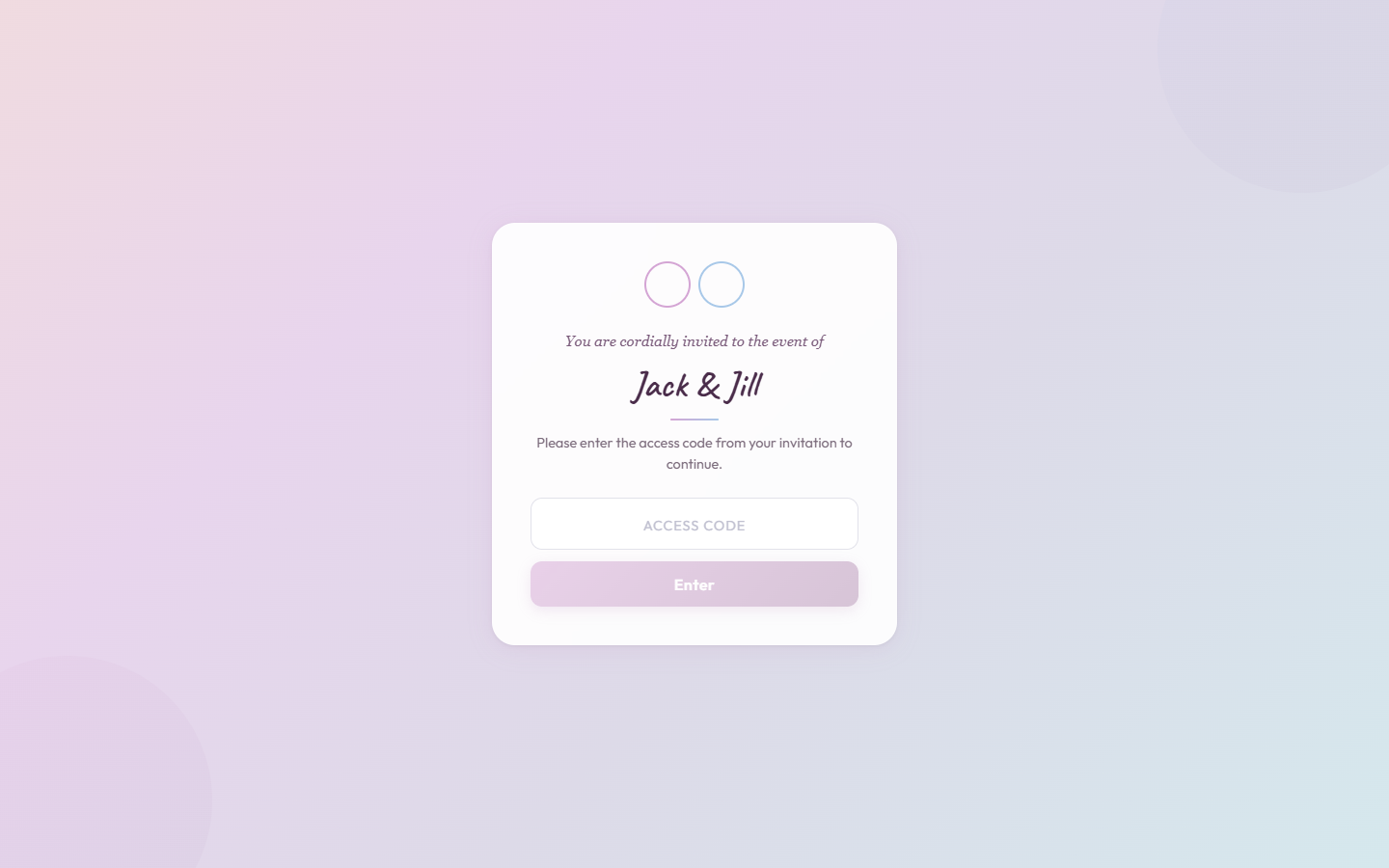
Access code entry page
Step 1

Invitation-Only Access

Each guest group receives a unique invitation code. They enter it on the event page to unlock their personalised RSVP experience — no account sign-up required.

  • Generate unique codes per guest group from the admin panel
  • Only invited guests can view and respond to your event
  • Zero friction — guests just enter their code and they're in
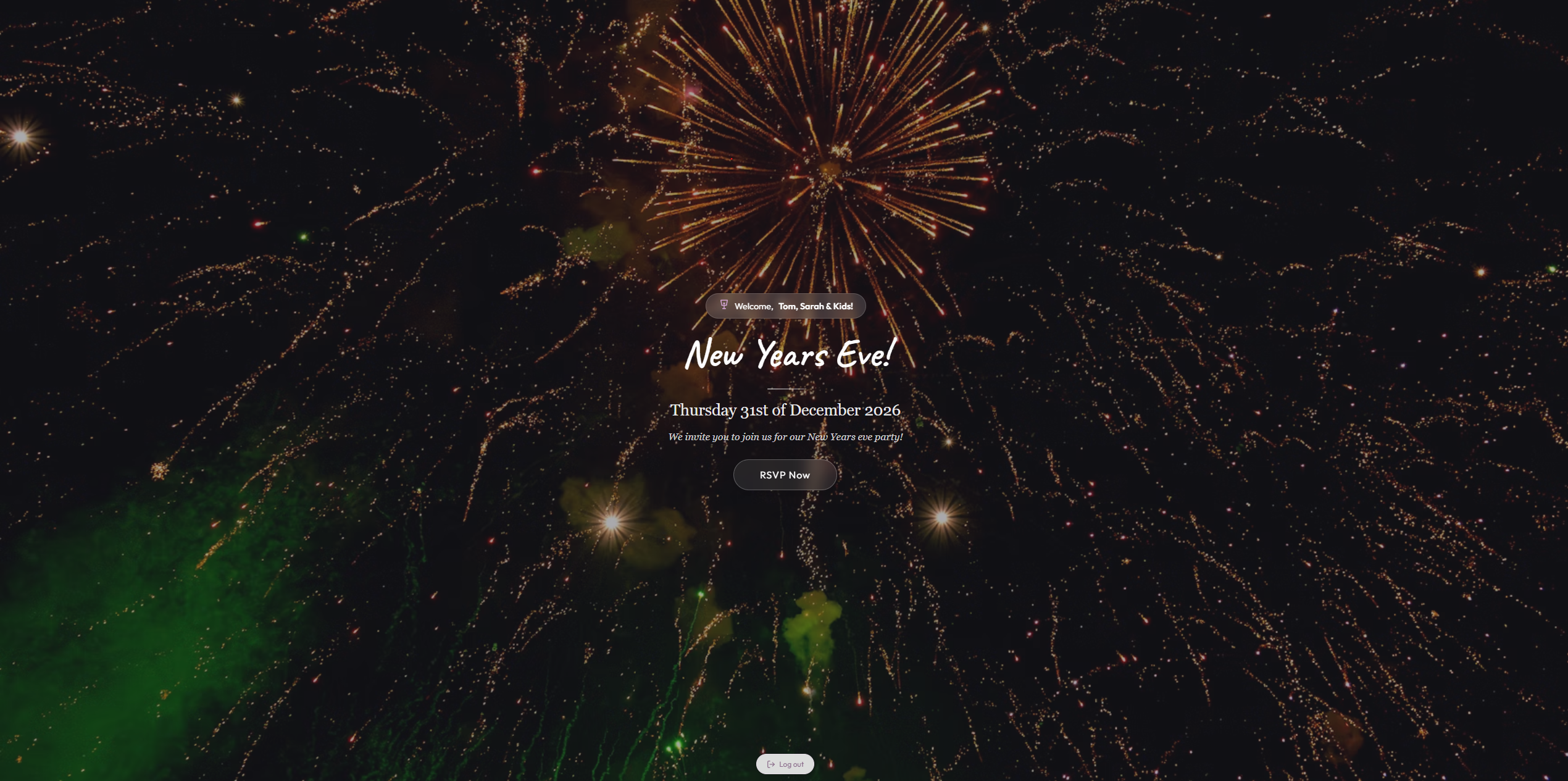
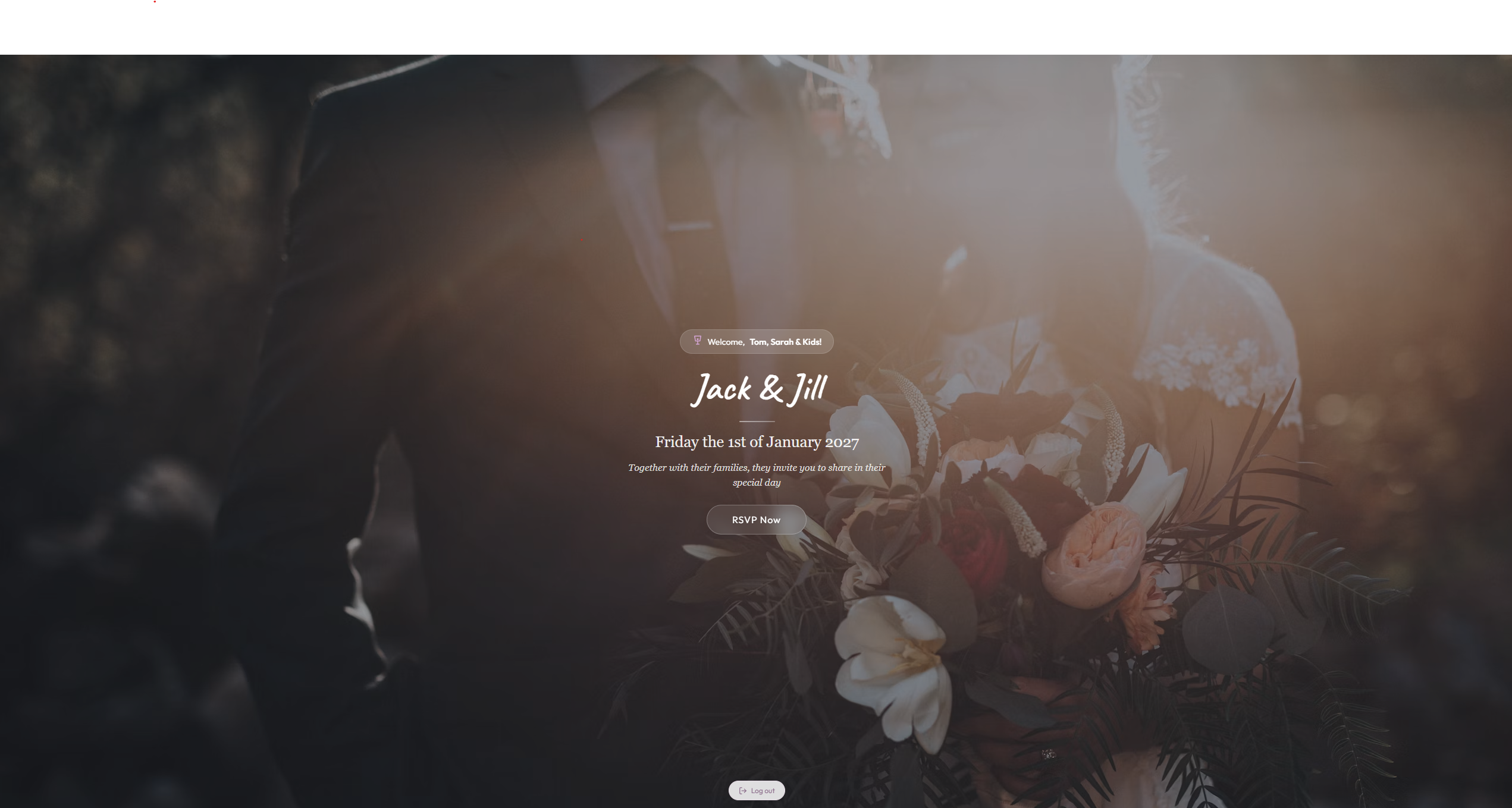
Event welcome page
Step 2

Personalised Welcome

Upon entering their access code, guests are greeted by name with the event name, date, and a warm welcome message — everything feels personal and intentional.

  • Guests are welcomed by name with their group's personalised greeting
  • Event name, date, and couple names displayed prominently
  • Fully customisable background image to set the mood
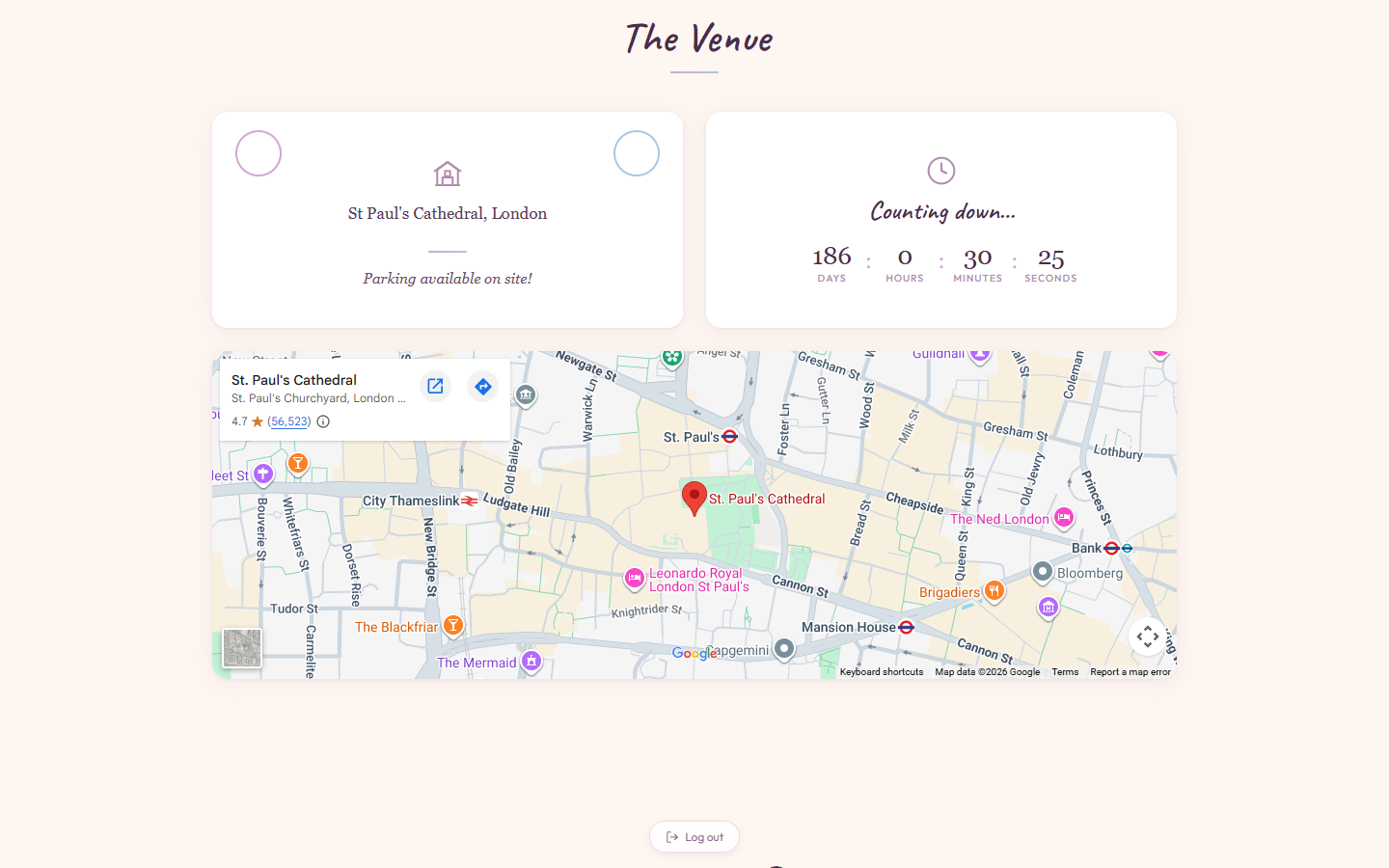
Venue section with map and countdown
Step 3

The Venue & Countdown

All the practical details guests need — venue address, parking information, a live countdown timer, and an embedded Google Map so nobody gets lost.

  • Venue address and parking info at a glance
  • Live countdown timer counting days, hours, minutes & seconds
  • Interactive Google Map with directions link
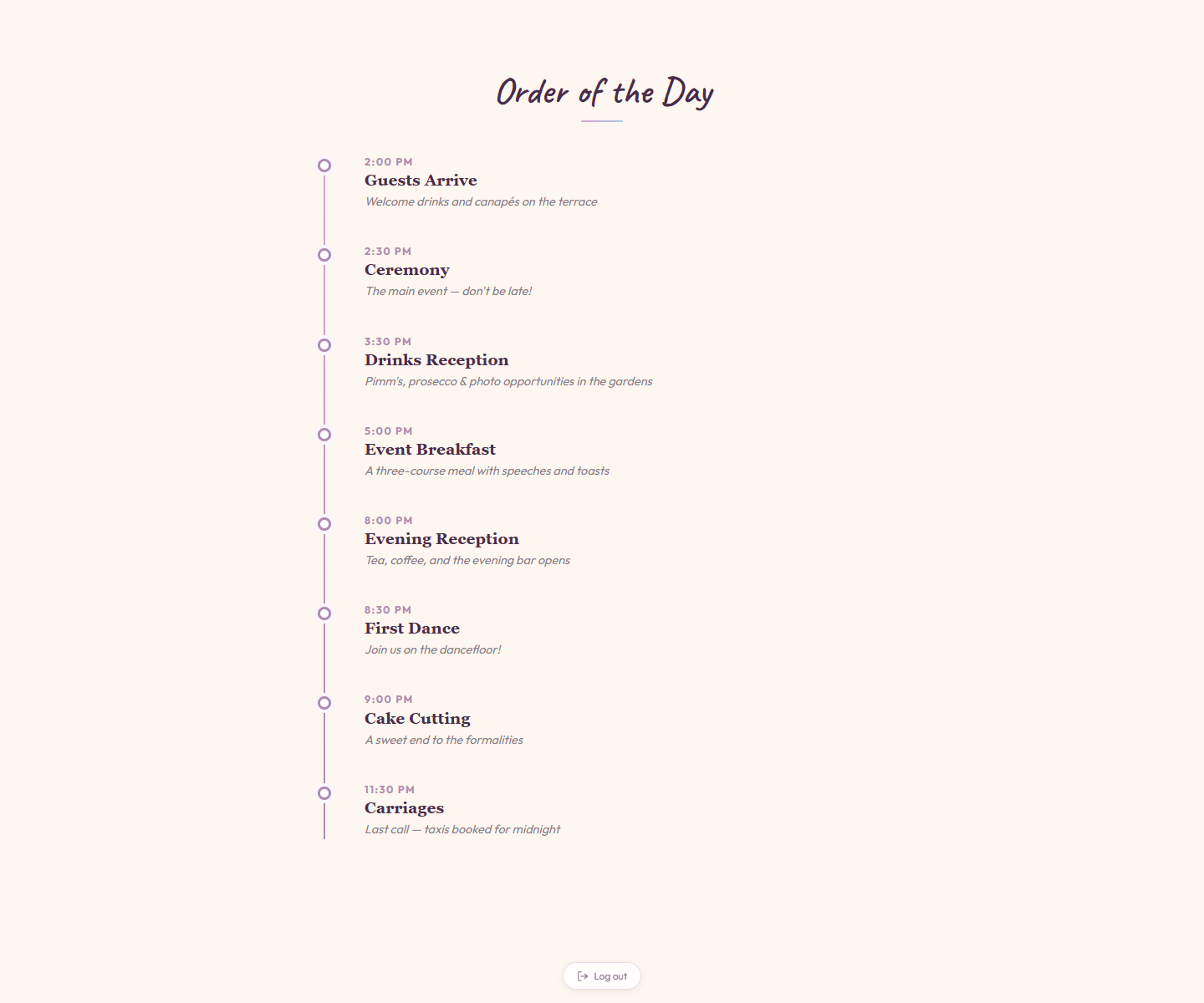
Order of the day timeline
Step 4

Event Timeline

A beautifully presented timeline of the day's events — from beginning to end. Guests see exactly when and where everything happens.

  • Full schedule with time, title, and description for each event segment
  • Fully customisable order and content from the admin panel
  • Guests can reference the timeline throughout the event
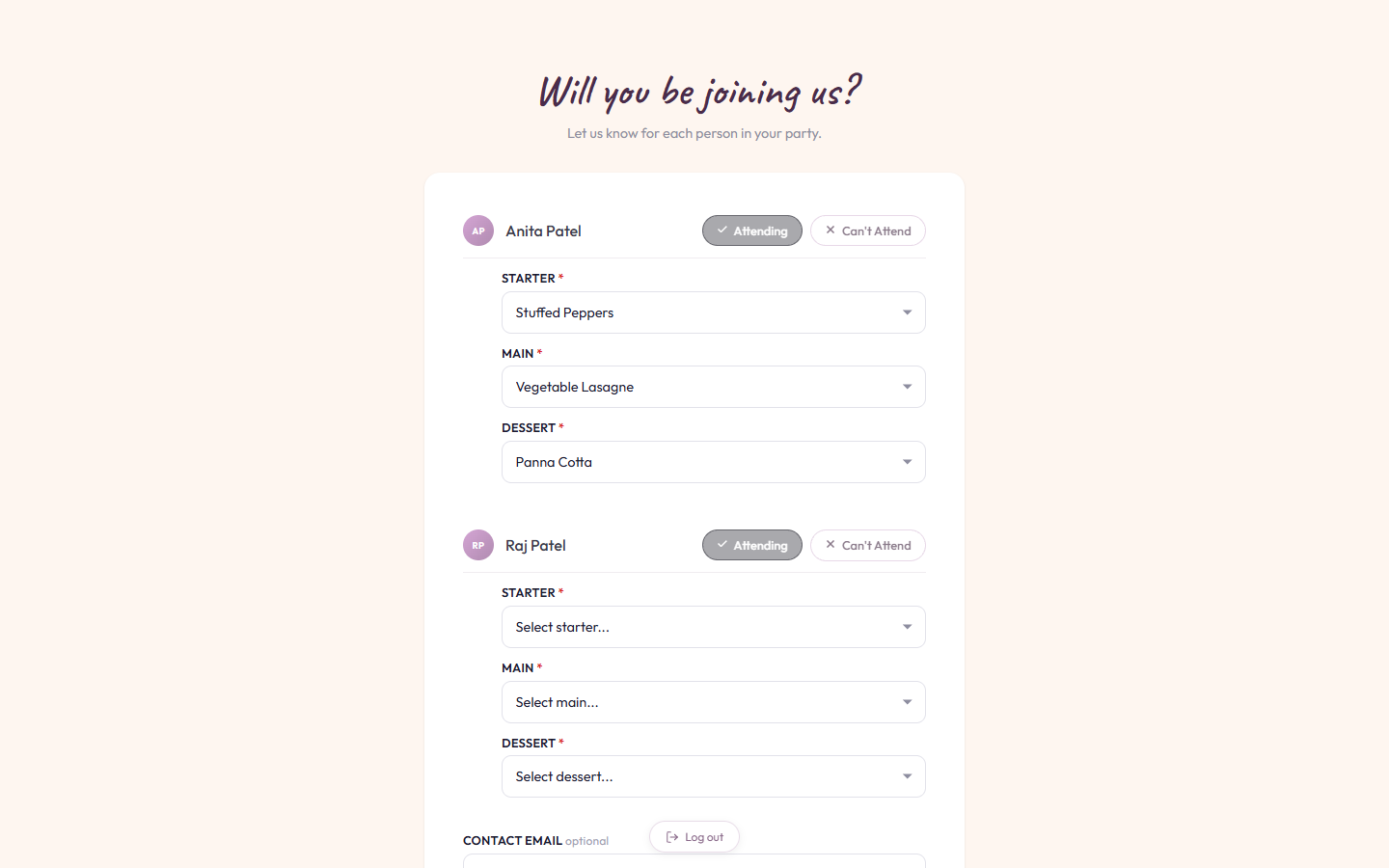
RSVP form with meal selection
Step 5

RSVP & Per-Guest Meal Selection

Each guest in the party chooses their attendance status, selects from a configurable menu of starters, mains, and desserts, and adds any special requests — all in a single form.

  • Each person in the group RSVPs individually with their own meal choices
  • Configurable menu options updated in real-time from the admin panel
  • Guests can also submit song requests, dietary notes & overnight stay preferences

Admin Dashboard

Full control over your event — guests, menu, metrics, and settings — all in one password-protected panel.

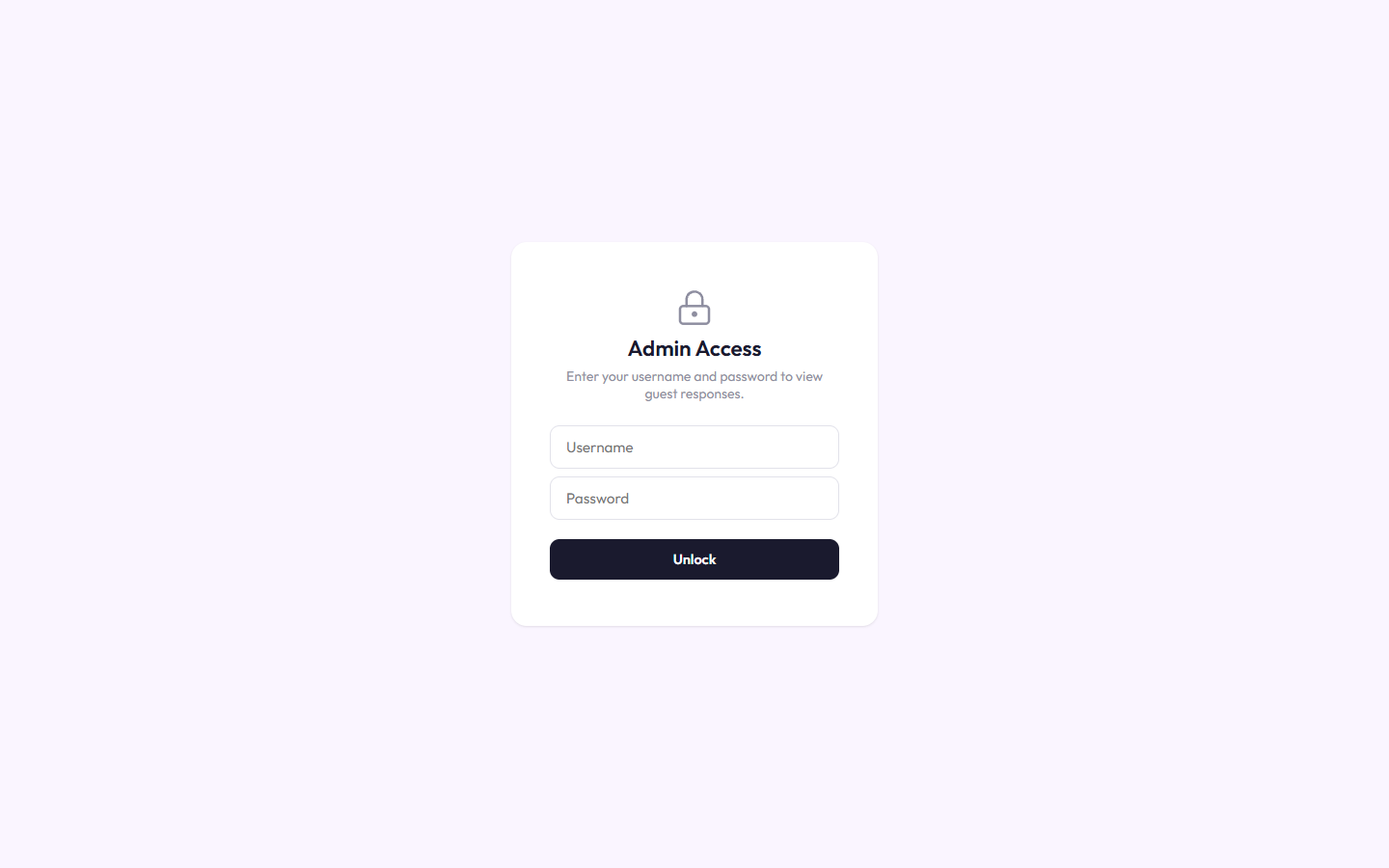
Admin login page
Secure Access

Password-Protected Admin Panel

The admin dashboard is locked behind a username and password. Only authorised hosts can view guest responses and change event settings.

  • Simple username and password authentication
  • Credentials are fully customisable from the settings panel
  • Your guest data stays private and secure
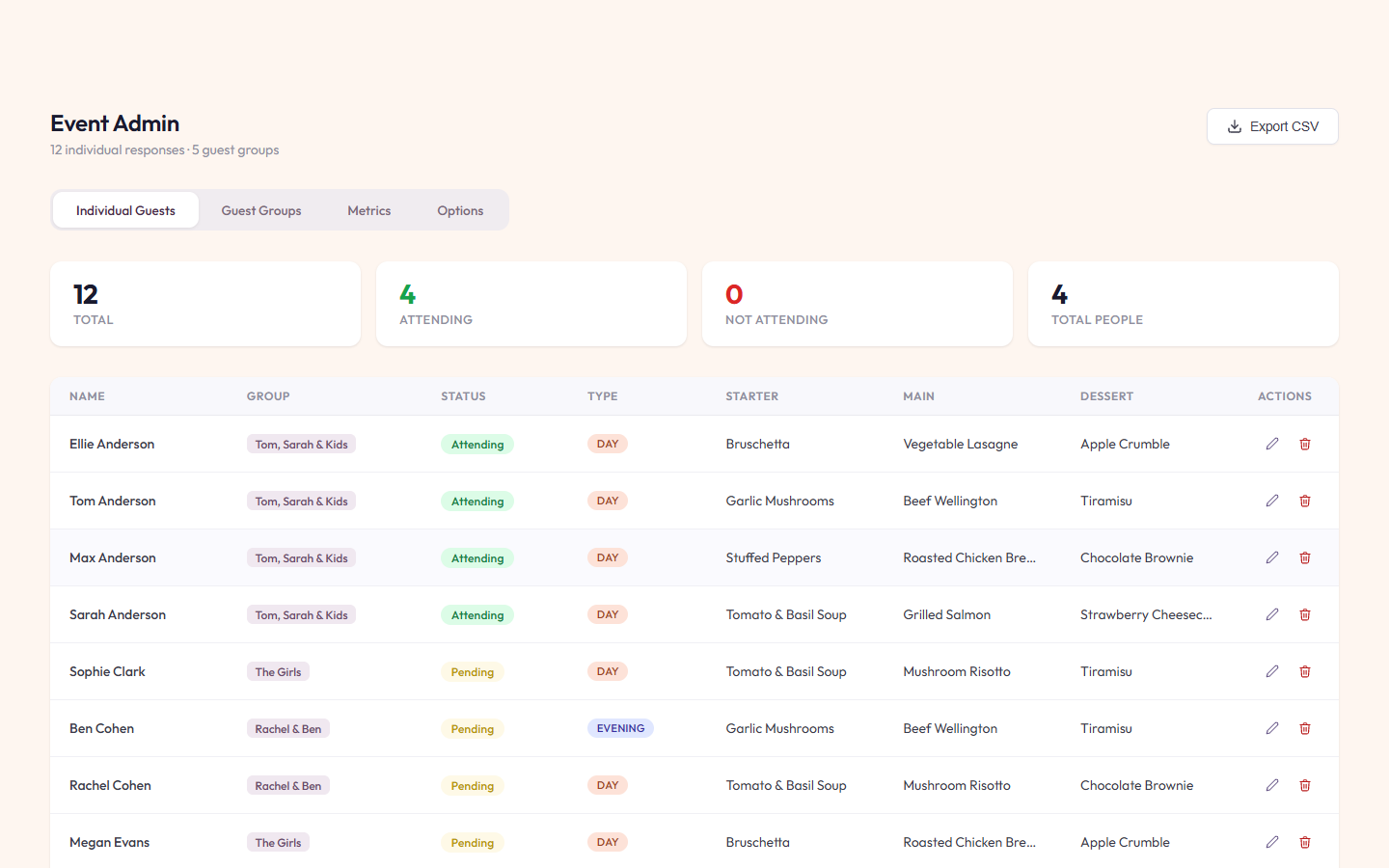
Admin individual guests table
Manage Guests

Individual Guest Responses

See every guest's RSVP status, meal choices, and guest type at a glance with a live summary of totals, attendance, and pending responses.

  • Summary stats bar showing total, attending, and pending counts
  • View each person's attendance status, starter, main & dessert selections
  • Quick-edit or remove guests and export the full list to CSV
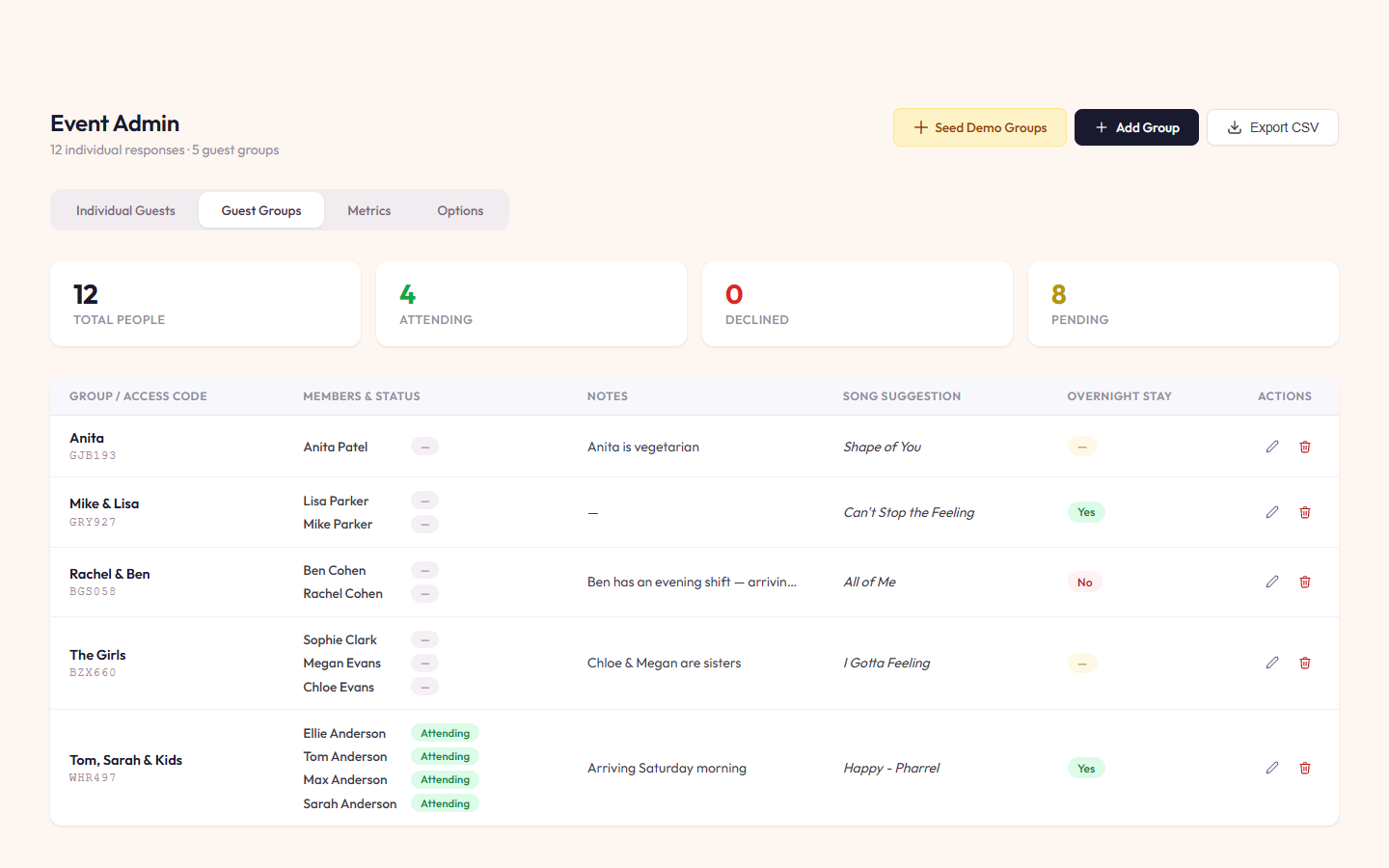
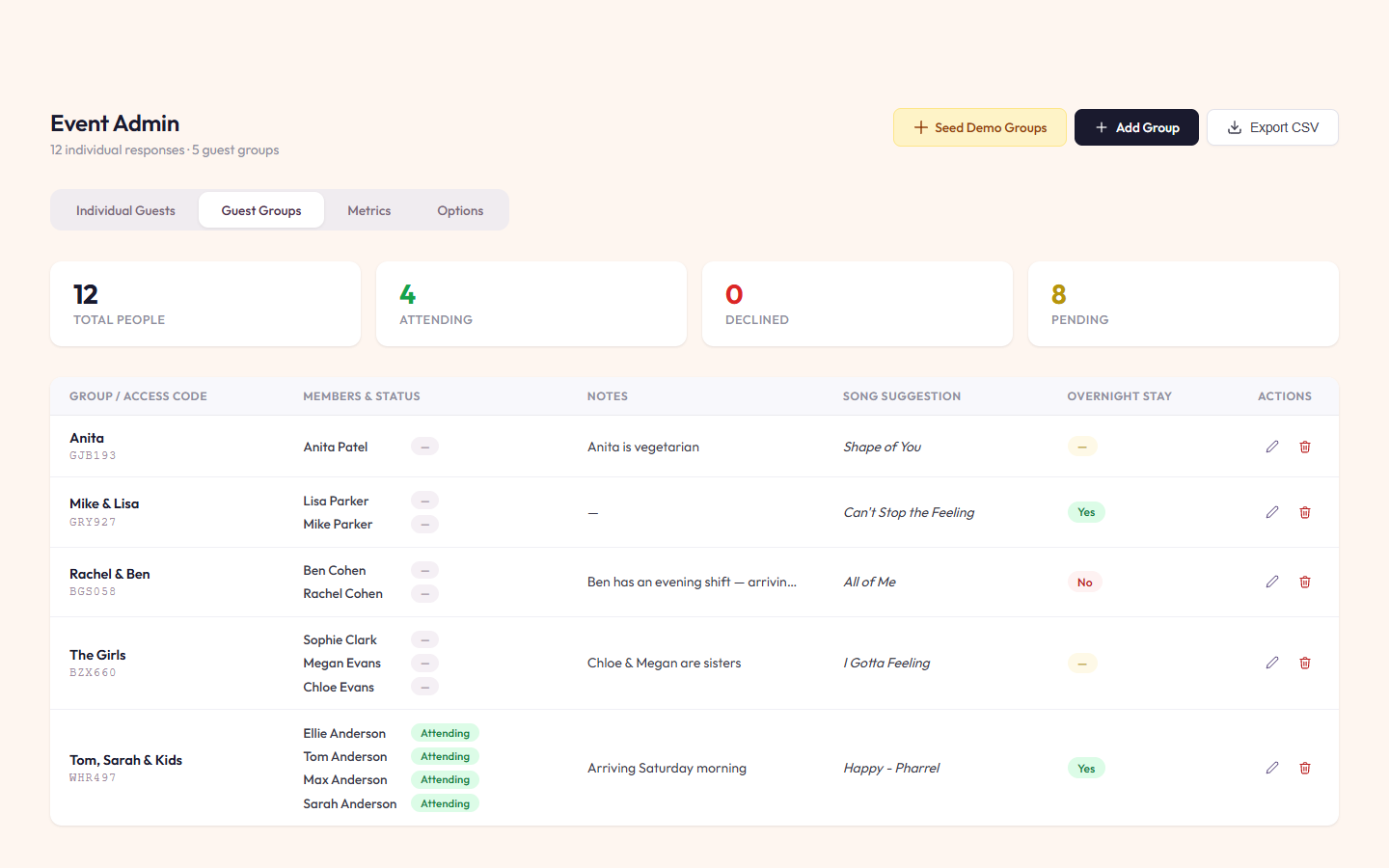
Admin guest groups table
Organise Parties

Guest Groups & Access Codes

Group guests into parties with unique access codes. Track song requests, overnight stays, and special notes — everything centralised.

  • Each group gets a unique access code sent with their invitation
  • See which members have responded and who still needs to RSVP
  • Collect song suggestions, dietary notes & overnight stay preferences
Add guest group modal
Add Groups

Create Guest Groups & Invitations

Add new groups with a simple form. Generate unique access codes automatically and add individual members with their dietary notes.

  • Generate random access codes or set your own
  • Add multiple members to each group with individual names
  • Set notes, song suggestions & overnight preferences per group
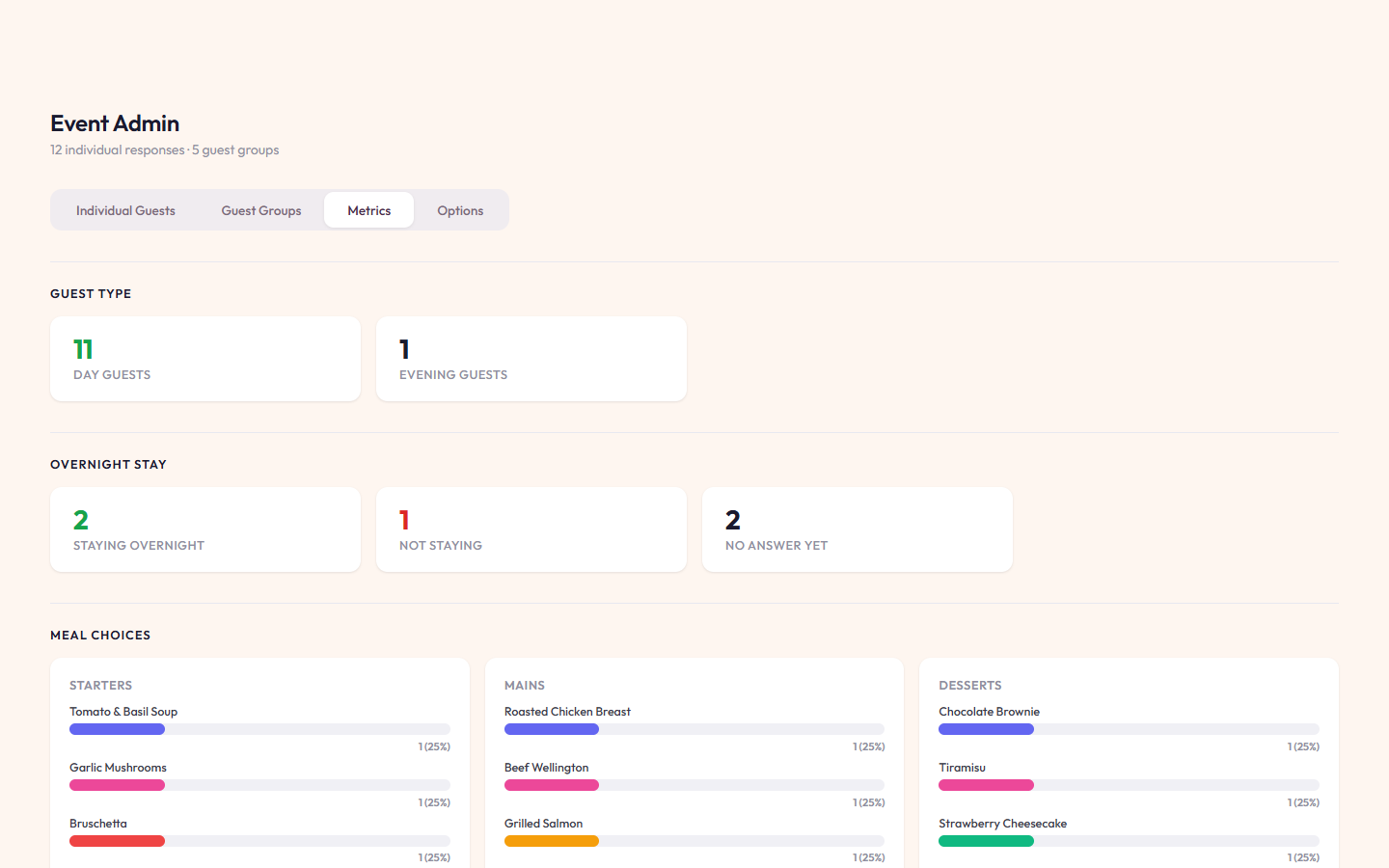
Admin metrics dashboard
Stay Informed

Real-Time Metrics & Insights

Live charts show you attendance breakdowns, meal choice popularity, overnight stays, and RSVP trends over time.

  • Guest type breakdown
  • Meal choice popularity — see which dishes are the most selected
  • RSVP timeline — track when responses come in
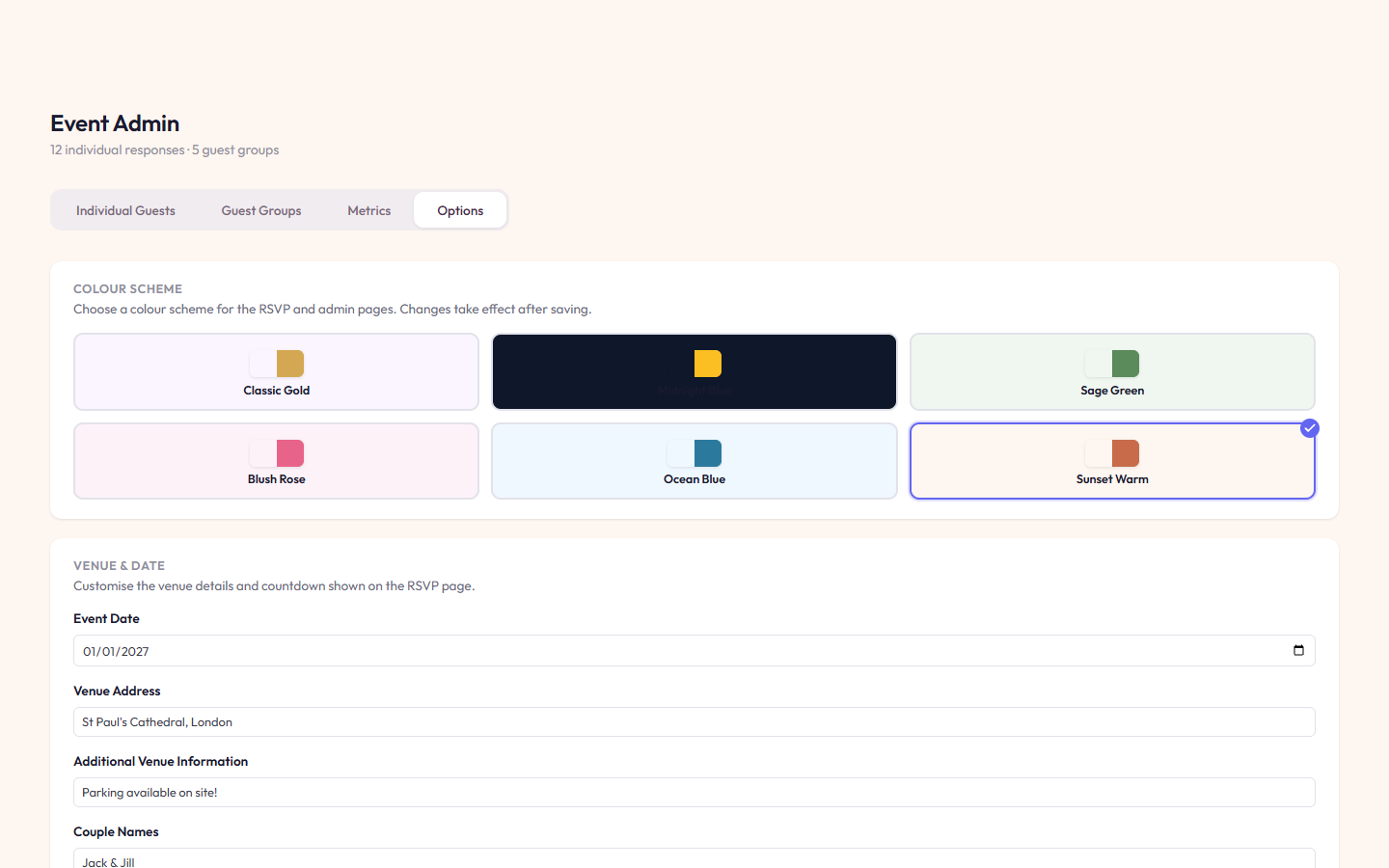
Admin colour scheme and venue settings
Customise

Colour Schemes & Event Details

Choose from six built-in colour schemes, set the event date and venue details, and customise the background image — all from the settings panel.

  • Six colour schemes: Classic Gold, Midnight Blue, Sage Green, Blush Rose, Ocean Blue & Sunset Warm
  • Customise event date, venue address, names & background image
  • Change admin username and password
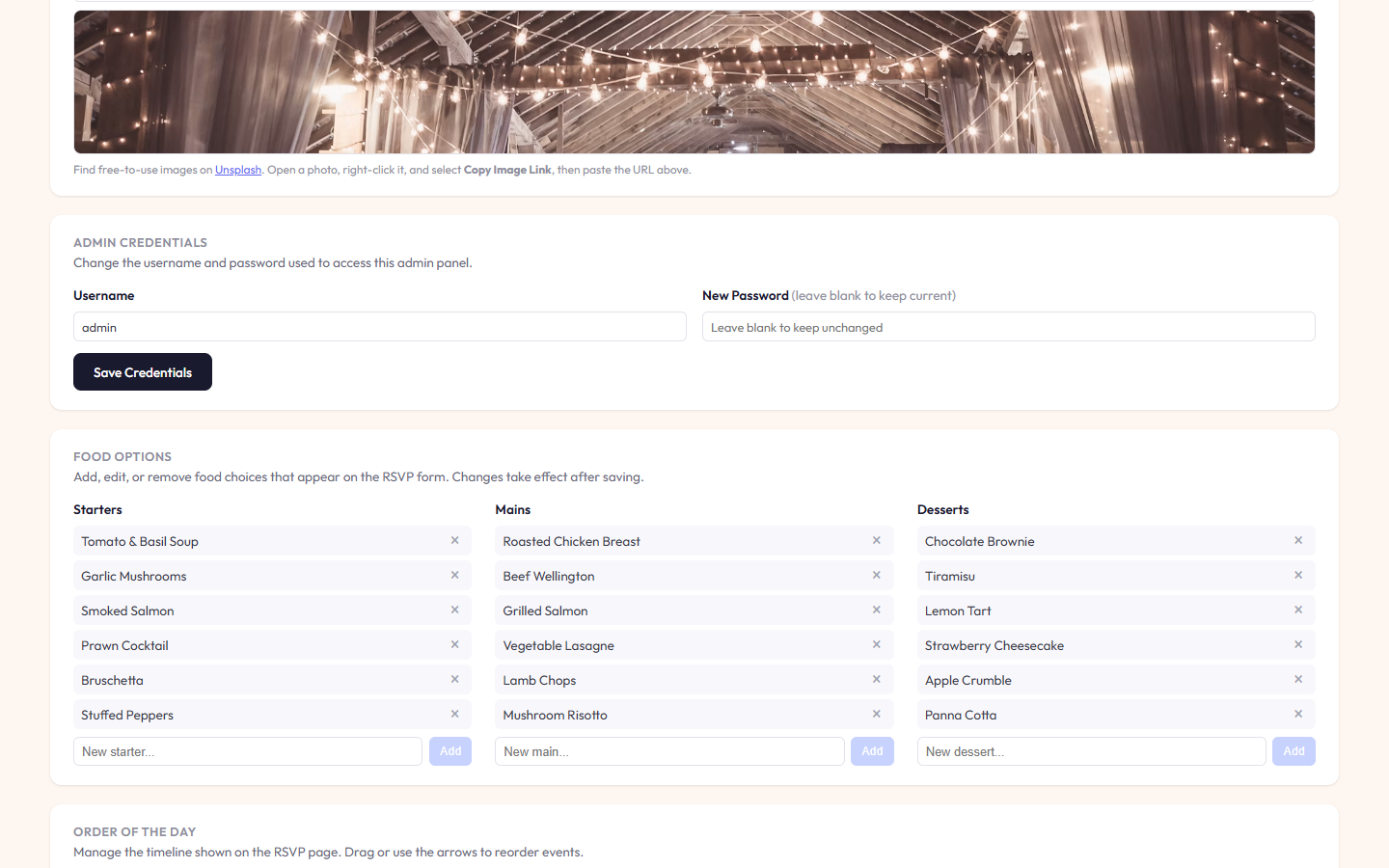
Admin food options editor
Menu Management

Food Options Editor

Add, edit, or remove starters, mains, and desserts. Each item can be individually removed and new options added — changes reflect instantly on the RSVP form.

  • Separate sections for starters, mains & desserts
  • Add custom menu items with a single click
  • Remove items that are no longer available
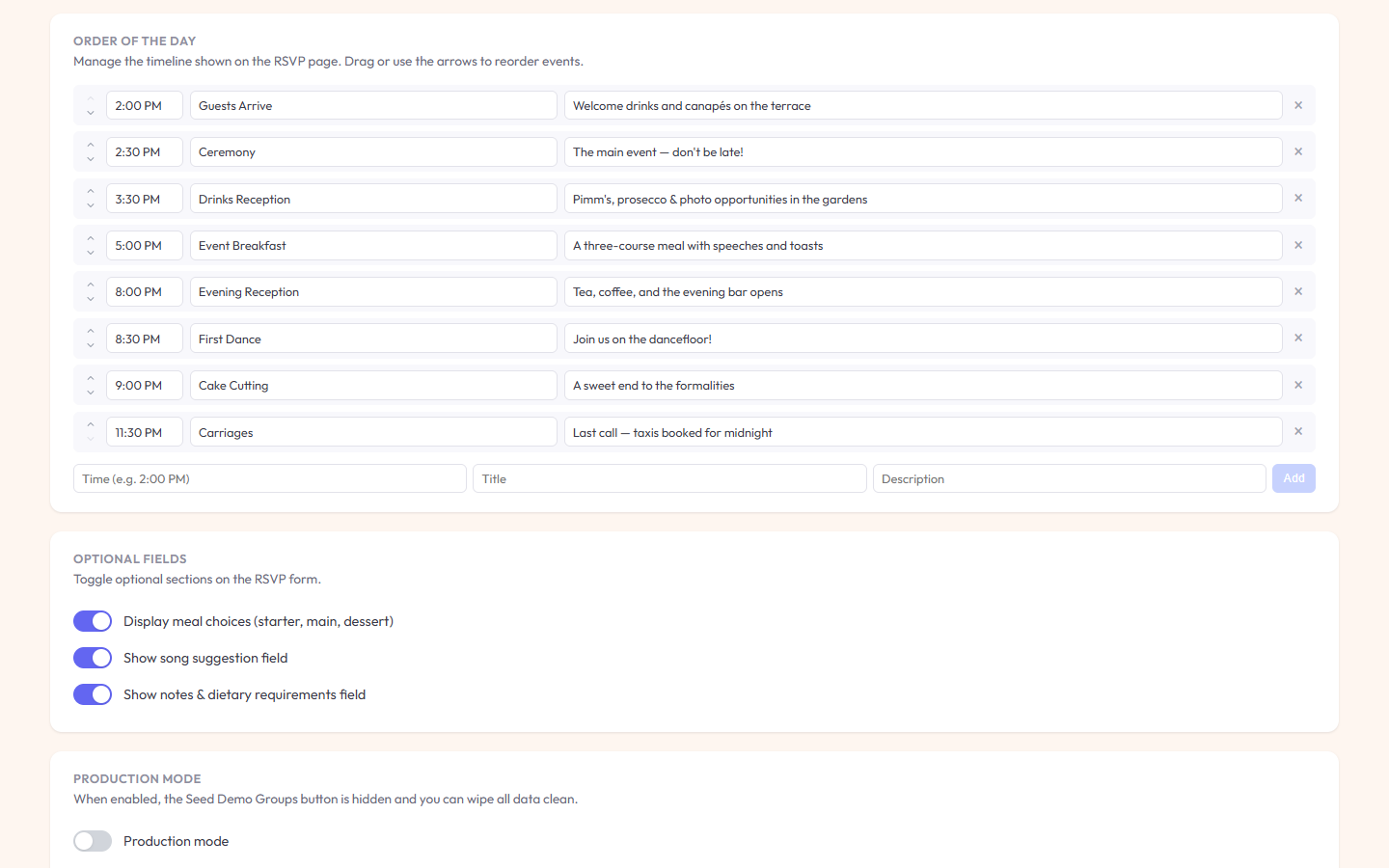
Admin timeline editor and optional fields
Fine-Tune

Timeline, Toggles & Production Mode

Reorder the event schedule, toggle optional RSVP fields on or off, and enable production mode to hide demo data controls.

  • Drag-to-reorder or use arrows to arrange the Order of the Day timeline
  • Show or hide meal choices, song suggestions & dietary notes fields
  • Production mode hides demo controls and enables data wiping

Built With

Angular
Firebase
Firestore
Hosted on Firebase

Self-Host Your Event Today

No subscriptions, no data lock-in, no third-party branding. Deploy SeeYouWhere on your own infrastructure and keep full control.

Demo code: WHR497 Admin: admin / pass